Your photos. Straight to your PC or Mac.
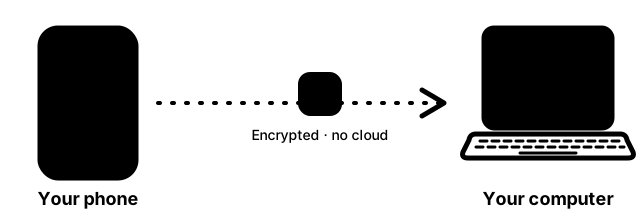
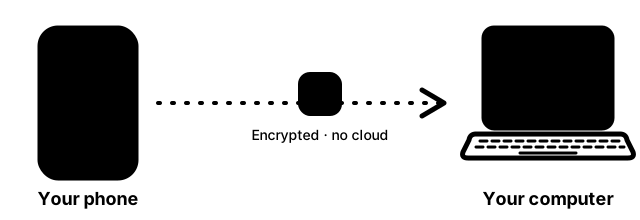
MediaShoot automatically backs up your phone's photos and videos to your own computer. They go straight from your phone to your computer, with no cloud in between. Any phone works with any computer.
Videos, People, Albums: our best features
MediaShoot backs up your videos with your photos, then your own PC turns them into People albums, Albums and short slideshow videos. Nothing leaves your home.
Videos with your photos
Your videos are backed up together with your photos, to the same folder on your PC. Large videos upload in pieces and carry on if the connection drops. On Wi-Fi by default.
People
Face albums, one per person. The Windows app finds the faces in your synced photos and groups them. You name, merge and fix them. Private: it all stays on your PC.
Albums by time and place
Trips and days, grouped for you from when and where each photo was taken. Rename, merge or split them.
One-minute slideshow videos
Turn an album, a date range or a person into a video of about a minute, with music and smooth transitions. Made on your PC.
People, Albums and slideshow videos are made by the Windows app on your PC from photos and videos your phone has synced; the phone app does not do them itself. Face tools (about 37 MB) and the video tools (ffmpeg, about 110 MB) are optional downloads that ask first. Face matching is still being tuned, so you can correct mistakes. No cloud.
Get the apps
Install one app on your phone and one on your computer. Any phone works with any computer.
 Scan with your phone
 Scan with your phone
How to get startedSee all features
Why MediaShoot
Private by design
No cloud, no account, no ads. Your photos never touch our servers.
Pair once
Scan a QR code from the computer app. After that it works in the background.
Your files, your folder
Saved in a normal folder on your PC or Mac with their original names and dates.
Secure
Encrypted connection with a pinned certificate, and every phone's access can be revoked.
Coming soon
Upload only on Wi-Fi or while charging, burst look-alikes held so only the best one syncs, and restoring photos from your PC to a new phone. See what is coming.